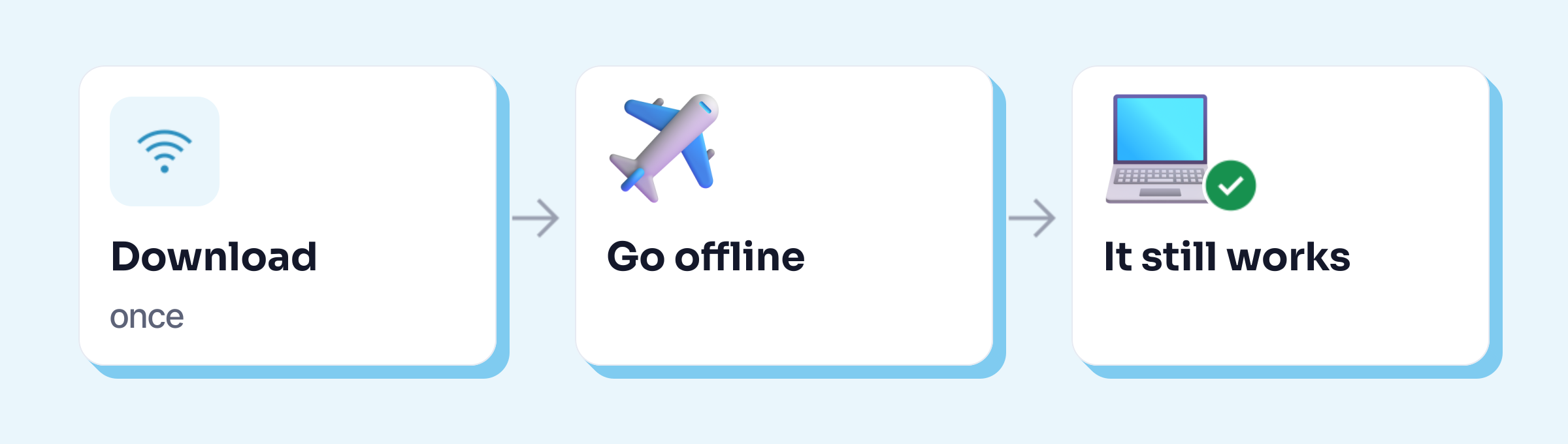
To use an AI offline, you need an app that runs an AI model directly on your computer: Ollama, LM Studio, Jan, GPT4All or Keypop, for example. You download the app and a model of a few gigabytes while you are online; after that, the AI works without a connection, and your texts never leave your machine. The one condition is a PC with enough memory: a small model takes up about 4.5 GB on its own.
The facts about each app were checked on 23 October 2026 on their official pages. The speed and memory measurements come from Keypop’s own test bench (20 October 2026), described below.
What is local AI?
When you use ChatGPT, Gemini or Copilot, your text goes to the provider’s servers, which work out the answer and send it back. A local AI does that work on your own computer. The AI model, the large file that holds everything the AI has learned, sits on your hard drive.
Three things follow from that:
- It works without internet. On a train, on a plane, or in an office where web access is filtered.
- Your texts stay on your machine. The CNIL, France’s data protection authority, considers this “generally more appropriate and more secure” (our translation) for personal data and sensitive documents, when it compares software installed on your own computer with online services (details in AI and GDPR).
- There is no quota and no subscription: your PC pays for the work, in electricity and in time.
You only need internet at the start, to download the app and the model.
What you need: memory, and a little patience
Memory (RAM). An AI model loads entirely into memory while it works. The small model Keypop uses (Gemma 4 E2B, by Google) takes up about 4.4 to 4.5 GB on its own, on top of Windows and the apps you have open. In a test on an 8 GB computer, the corrections were right, but slower, and the whole computer slowed down. Keypop won’t even run local AI on a computer that reports less than 7 GB. LM Studio, for its part, recommends 16 GB on Windows and Mac.
To check how much you have on Windows: Ctrl + Shift + Esc opens Task Manager; go to the Performance tab, then Memory.
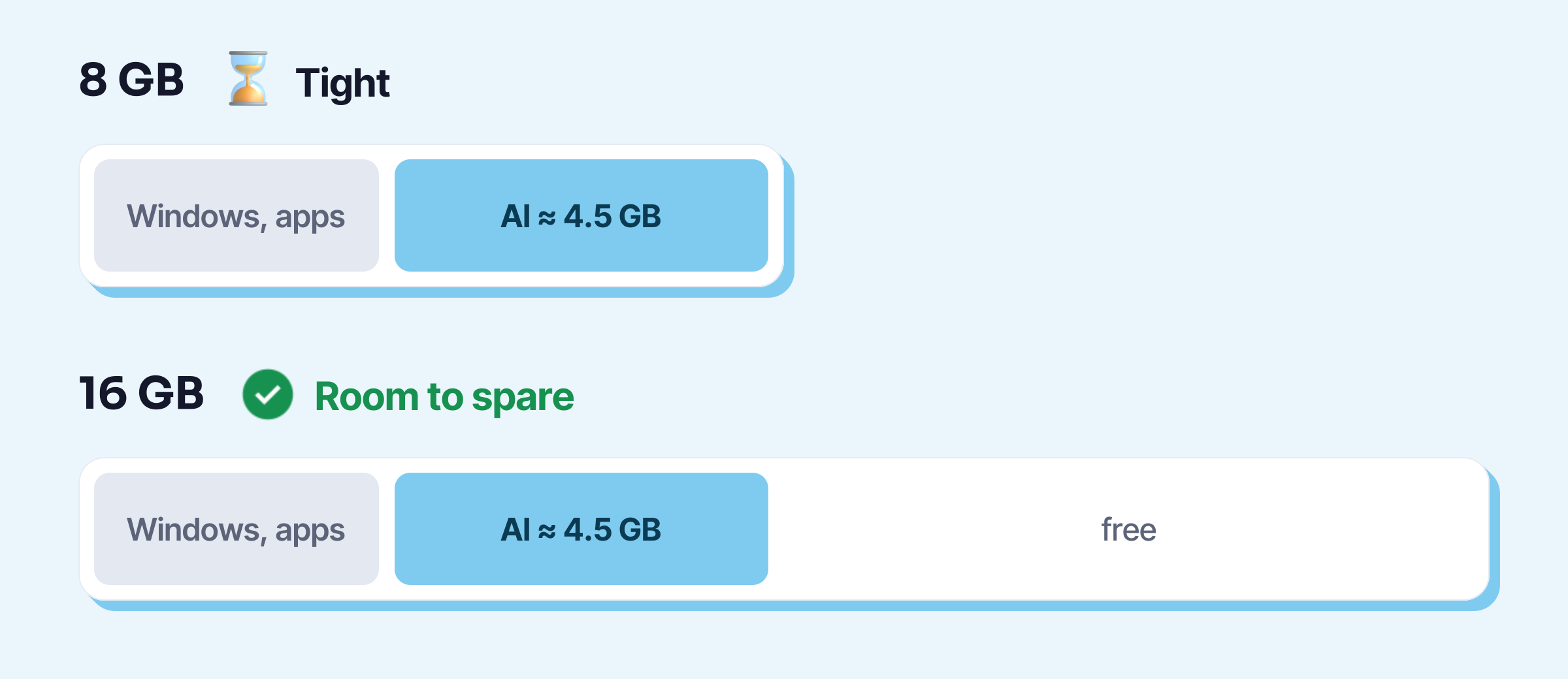
Patience, on an older PC. Without a graphics card, the processor does the work. Keypop’s measurements on 20 October 2026, with the same model: about 3 seconds to correct one sentence on four cores of a recent processor, and about 21 seconds for an email of around sixty words on a processor throttled to the level of a 2018 Core i5.
A bigger model writes better, but asks for more: Gemma 4 E4B, tested the same day, was the only one with no mistakes on six sentences, using 7.3 GB of memory and running more slowly.
Disk space: the small models Keypop tested weigh between 2 and 5 GB each.
Apps that run AI locally
| Licence | How you use it | Systems | Recommended memory | |
|---|---|---|---|---|
| Ollama | open source | a chat window | Windows, macOS, Linux | not stated |
| LM Studio | free, not open source | a chat window | Windows, Apple Silicon Mac, Linux | 16 GB |
| Jan | open source | a chat window | Windows, Mac, Linux | 16 GB |
| GPT4All | open source | a chat window | Windows, macOS, Linux | not stated |
| Keypop | free for local AI | Alt + K in all your apps | Windows, macOS, Linux | at least 7 GB |
Good to know before you choose:
- Ollama (MIT licence) also offers “cloud” models, which send your requests to its servers; you can turn them off in its configuration.
- LM Studio has been free for work use since July 2025, doesn’t run on Intel Macs, and “can operate entirely offline” once the models are downloaded. It also has a catalogue of models.
- Jan (Apache 2.0 licence) needs at least 8 GB of memory on Windows, and updates often (version dated 20 October 2026).
- GPT4All (MIT licence) can also search your documents; its latest version was released on 25 February 2025.
- Keypop needs an account with your email, runs on Windows 10 and 11, macOS (Apple Silicon Mac) and Linux, and won’t run local AI below 7 GB of detected memory. It has a single model, chosen for office tasks; the cloud AI in the Pro plan is separate.
Sources, checked on 23 October 2026: Ollama FAQ, LM Studio system requirements, installing Jan on Windows, and each project’s GitHub repository for licences and versions.
The first four are chat windows: you paste your text in, ask, then copy the answer back. They let you choose from dozens of models, which is a plus if you like comparing, and a hurdle if you just want to fix an email.
Set up an offline AI in 5 steps
- Check your memory (Task Manager, Performance, Memory). With a small model, 8 GB means a slower computer; 16 GB leaves some headroom.
- Pick an app from the table above. At work, ask your IT team first: you are not always allowed to install software on a work computer.
- Download a model while you are online. To start, take a small 2 to 4 GB model, which will run faster on an office computer.
- Turn off Wi-Fi and try it: ask it to correct a sentence. If the answer comes back, your AI really is local.
- Make sure no online option is switched on. In Ollama, turn off cloud models (the setting is described in its FAQ). In Keypop, choose the local AI mode in the settings.
What local AI does well, and less well
Keypop had a strict grader score its local model on 40 sample office tasks (20 October 2026). Result: 30 out of 40.
- Good: proofreading (4.5 out of 5), summarising (4.5), rephrasing in a diplomatic tone (4.5), shortening (4).
- Weaker: drafting a reply to an email (2 out of 5) or turning notes into an email (3 out of 5). These are the tasks where the AI has to write for you, with amounts, names and commitments: small models get them wrong more often.
A local AI doesn’t know the news either, and it doesn’t search the web. For a general knowledge question, an online AI is still better; for a one-off text with nothing confidential in it, a free online tool is often enough.
Keypop’s local AI
In Keypop, local AI is the free plan: you select your text in Word, Outlook or your browser, press Alt + K, and it proofreads, rephrases or summarises on your computer, with no limits and no internet. All you need is a free account with your email, Windows 10 or 11, macOS (Apple Silicon Mac) or Linux, and the download of the model and the dictation module (3.9 GB) the first time you launch it.
Pitfalls
- Assuming a “local” app never talks to the internet. Several also offer online models, or use a server for some tasks. The Wi-Fi-off test (step 4) settles it.
- Taking the biggest model “because it’s better”. On an office PC it will be slow, or won’t load at all.
- Forgetting your company’s rules. Local AI solves the question of where your data goes, not the question of what your employer allows: that is what an AI policy is for.
- Expecting the same as ChatGPT. Check what a small model writes, especially when it writes for you.
To compare with free online AIs: free AI: which one to use at work. And to see what an assistant does day to day: AI assistant. More guides: local and free resources.